With Apple Intelligence. Your data stays private.
Organize your tasks
and projects.
Your tasks, notes and calendar, all in one place.
- iPhone
- iPad
- Mac
Android is coming soon.
01Tasks, projects & calendar
Know what needs
doing today.
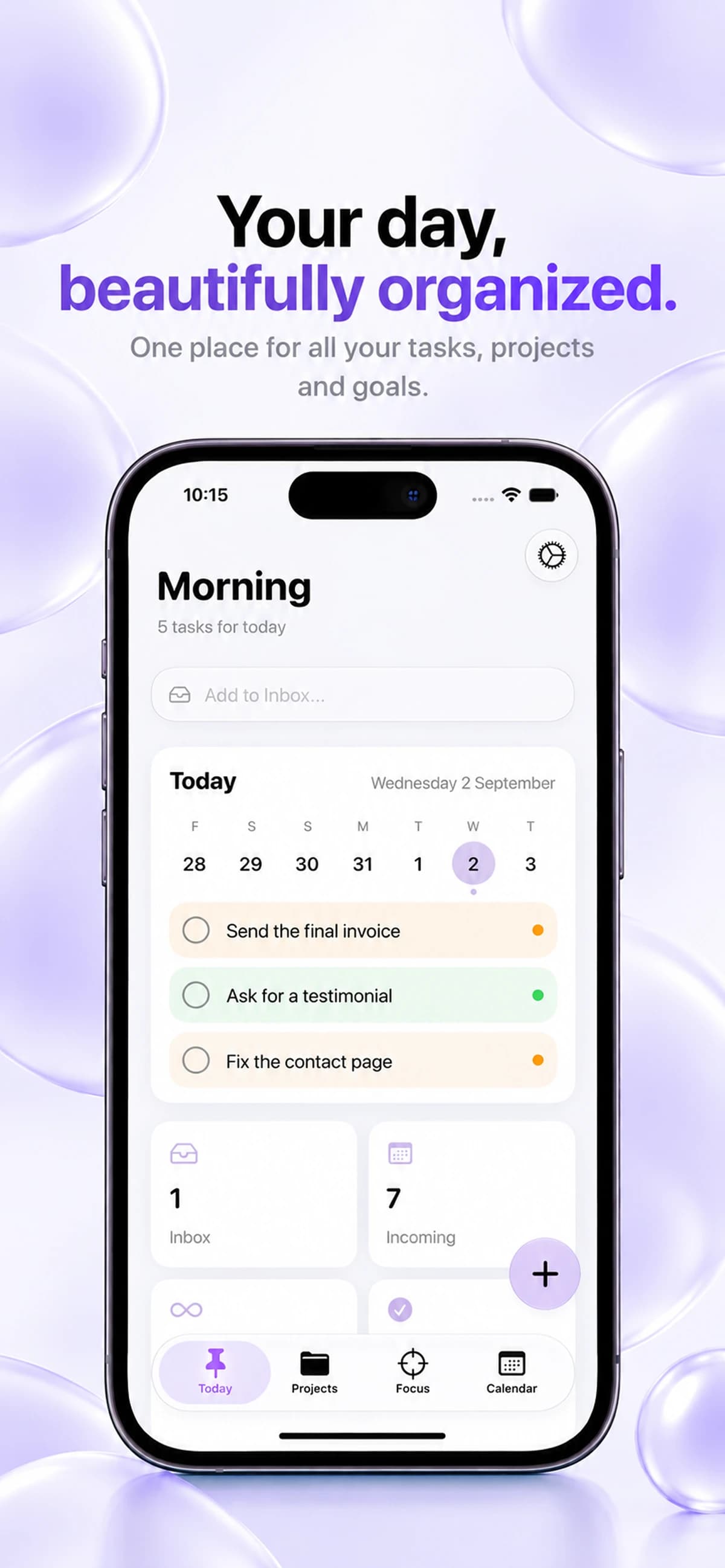
An invoice to send, a project to finish, an idea to save. Add them to Keepio, then review today’s tasks and what’s coming up.
Tasks
Add a task to your Inbox and decide when to do it.
Projects
Keep each project’s tasks, notes and deadlines together.
Calendar
See upcoming tasks and deadlines before planning your week.
02Apple Intelligence
Write what
you need to do.
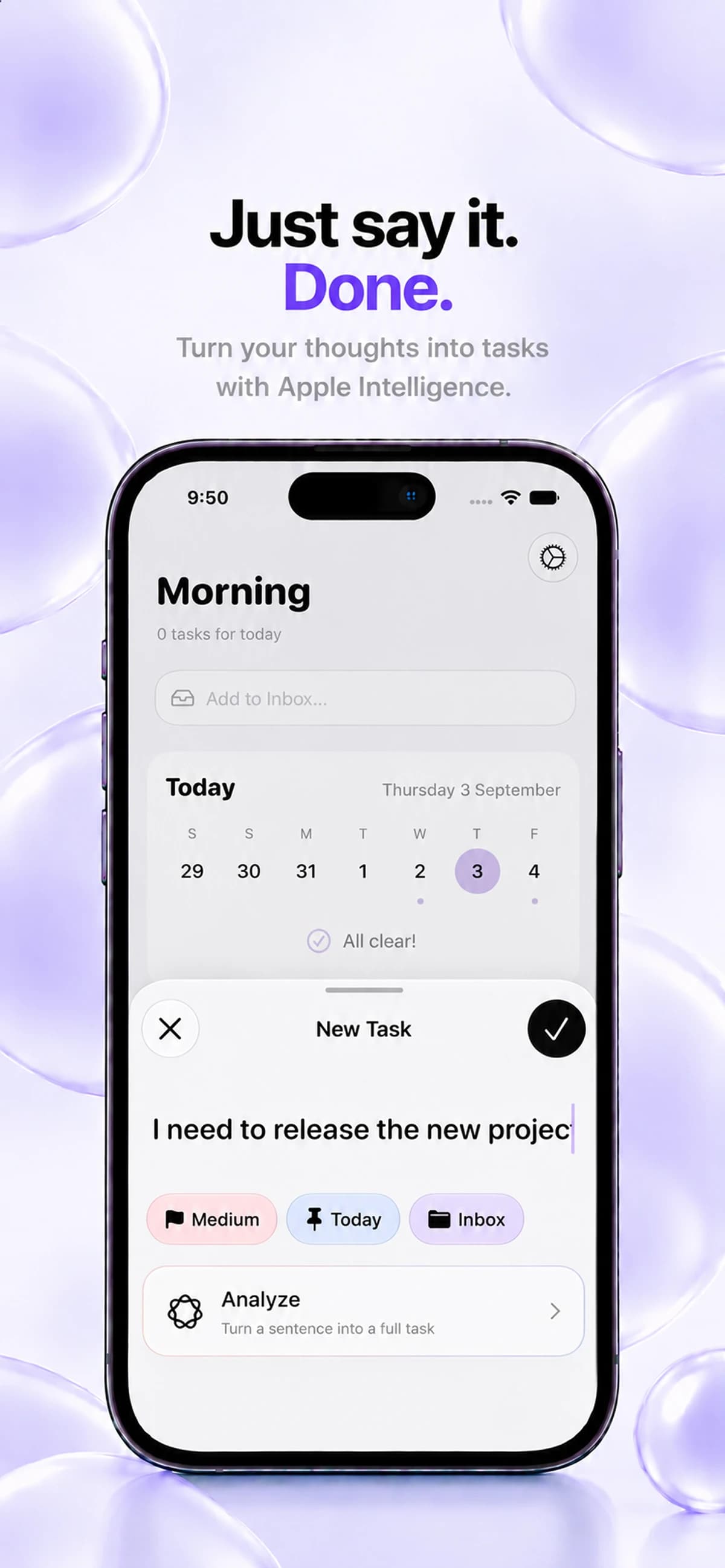
Describe a task in a sentence, then tap Analyze. Keepio uses Apple Intelligence to help fill in the task details. You can check them before saving.
03Pomodoro & session history
Set a timer
for your task.
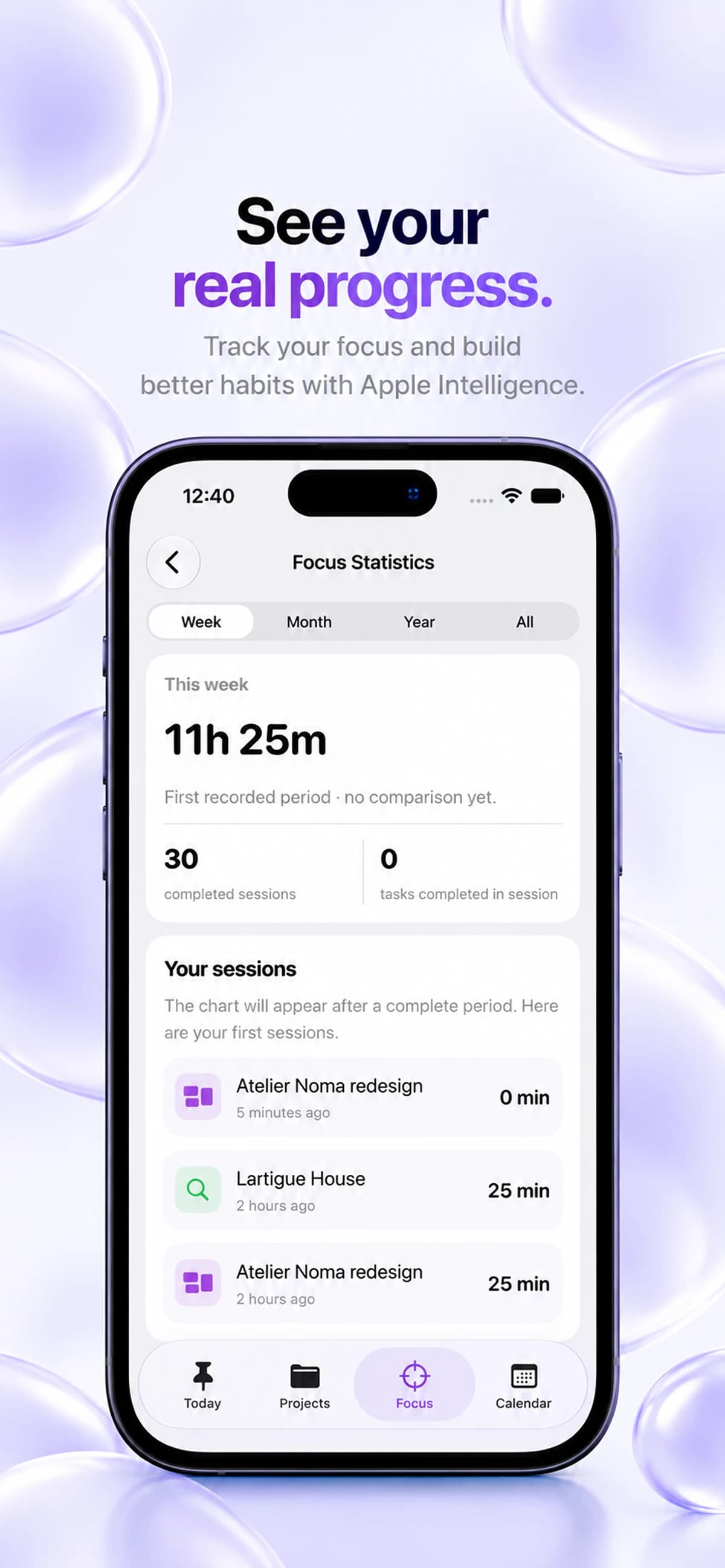
Choose a project and start the Pomodoro timer. Take a break between sessions, then check your history to see how much time you spent working.
Questions about Keepio?
Which devices can I use Keepio on?
Keepio is available on iPhone, iPad and Mac through the App Store. Your tasks, projects and notes sync through iCloud between devices using the same Apple Account when iCloud is authorized for Keepio. An Android version is coming soon.
How does Keepio use Apple Intelligence?
Write your task and tap Analyze. Keepio uses the Apple model on your device to help fill in the details. On iPhone, this requires iOS 26 or later. You also need an Apple Intelligence-compatible device, Apple Intelligence enabled, a supported language and the system model ready. Once the model is available, it can work offline.
Where is my data stored, and how does sync work?
Your tasks, projects and notes are stored locally on your device. They sync automatically through your private iCloud when you are signed in and Keepio is allowed to use iCloud, between devices using the same Apple Account. The Keepio team cannot access your private iCloud content.
Does Keepio support Pomodoro?
Yes. Keepio includes Pomodoro focus sessions, breaks and project-linked focus time, alongside your tasks and projects.